
Your operations data, in one place.
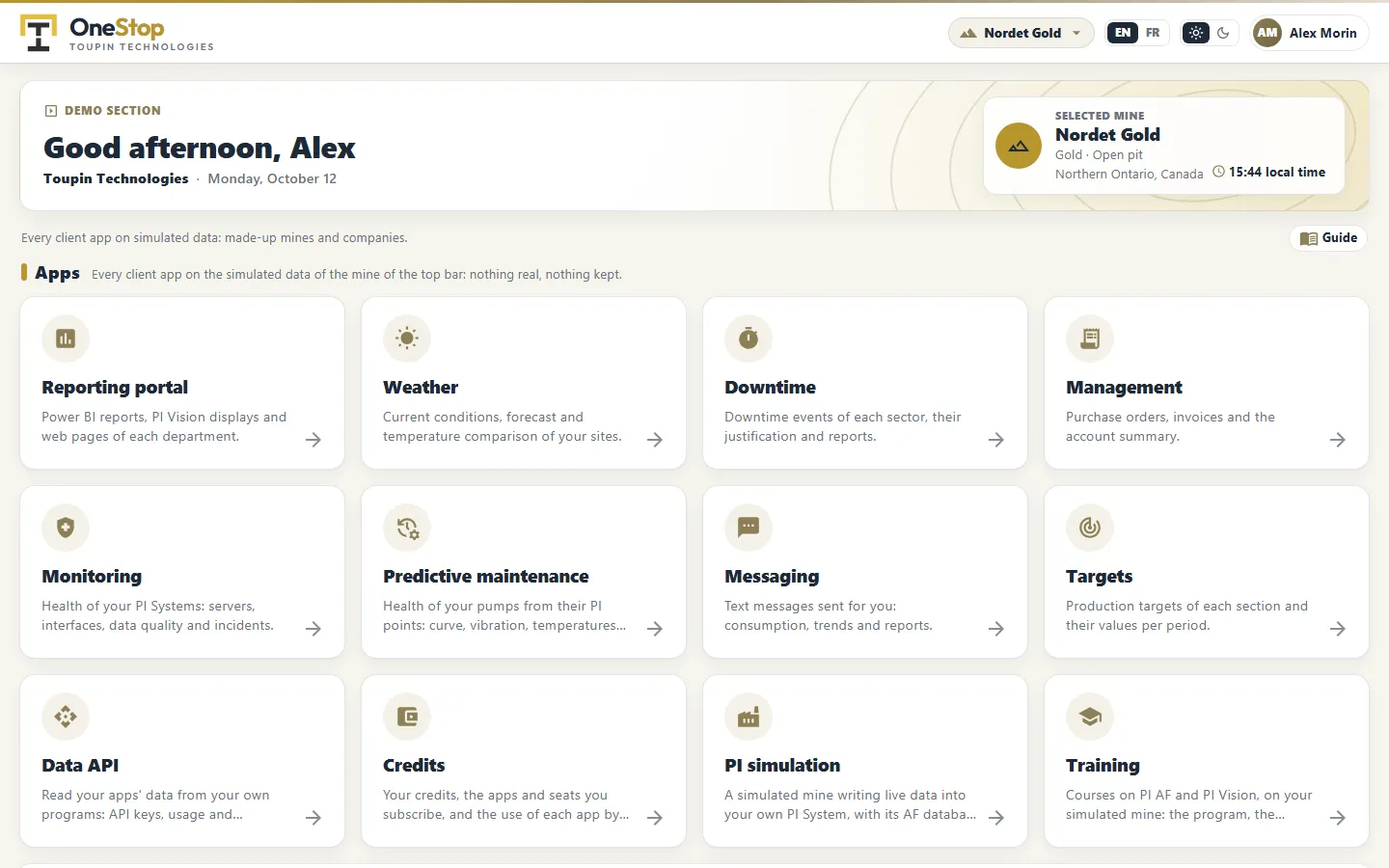
TTech OneStop is our web platform for mining operations. Your company subscribes to the apps it needs, and your people sign in with their Microsoft work account.
- Address
- onestop.toupintech.com
- Sign-in
- Your Microsoft work account
- Languages
- English and French
Apps for the people who run the mine.
Each app does one job. Subscribe to the ones you need, add others later.
Data and integration
Your data, where your own tools can use it.
Your account
Subscriptions, usage and billing, self-serve.
Prepaid credits, managed by your own admins.
No long contract per app. Your company buys credits and decides who uses what.
-
01
Choose the apps
Your company subscribes to the apps it needs, and can add or stop one at any time.
-
02
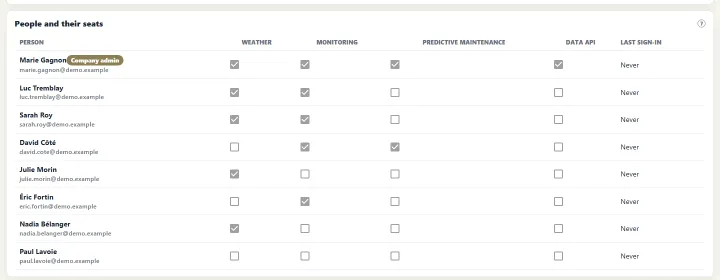
Give seats
Each app has a monthly price per user. Your company admins give a seat to the people who need it.
-
03
Prepay with credits
Buy credits by card, or ask for an invoice. The month of seats is taken from the credits.
-
04
Follow the usage
Your admins see the balance, the seats and the use of each app by each person.
Prices are set per app. Ask us for the current price list.
A demo on simulated mines.
We invite you to the Demo section of OneStop. You sign in with your Microsoft work account and try every app on simulated mines: gold, copper, iron, coal, lithium, potash, zinc, diamonds and platinum.
Nothing in the demo is real, and nothing you change is kept.
04Security
-
Microsoft sign-in
Your people sign in with their Microsoft work account. Your admins decide who gets which app.
-
Your data stays yours
Apps that read PI data use a read-only access to your AVEVA CONNECT. They do not write to your PI System.
-
Read-only data API
Your own programs read your apps’ data with API keys that your admins create and revoke.
05Common questions
Do we need AVEVA CONNECT?
For the apps that read your PI data, yes: they read it through your AVEVA CONNECT, with a read-only access. Other apps, such as Weather or Training, do not need it.
Is OneStop part of your services?
It is a separate subscription. Clients of Enhanced PI Monitoring see the status of their PI System in the OneStop Monitoring app.
Can we try it before we subscribe?
Yes. Ask for a demo: we invite you to the Demo section, on simulated mines.
Is it available in French?
Yes. Every app works in English and in French; each person chooses.
Start a conversation.
Tell us which apps interest you. We will invite you to the demo and set up your company.