TTech OneStop · The platform

PI Training

Your people learn PI Vision and PI AF at their level, hands-on, on a realistic simulated mine, in English or in French.

The problem it solves

A PI System only pays off if people use it.

Most people open the same display every day and never build their own trend, search an asset or use an analysis.

Generic courses train on data that looks nothing like a mine, and are forgotten the week after.

  • Demo on ten simulated mines
  • English and French
  • Hosted in Canada
  • Your Microsoft sign-in
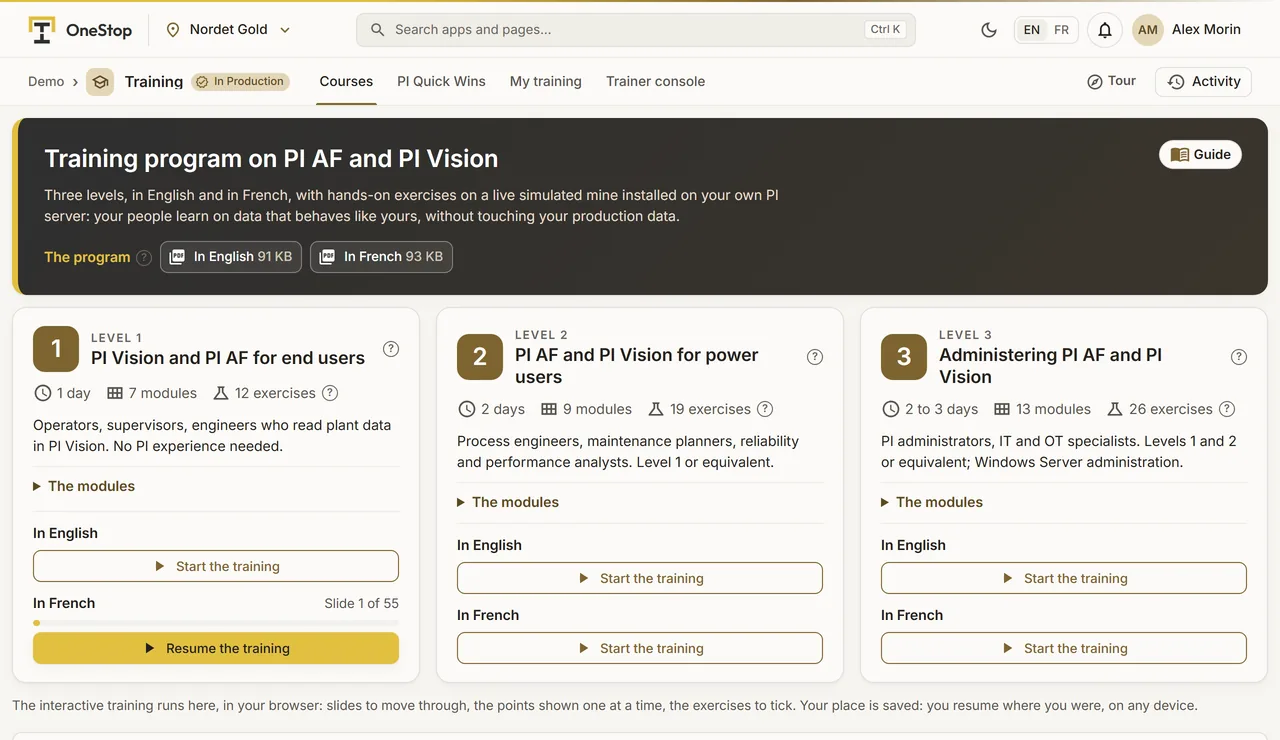
The three PI training courses in OneStop, with their modules
Demo section, simulated data.
  • Three levelsEnd users, power users and administrators.
  • Hands-onExercises on a realistic simulated copper mine.
  • In OneStopPlayed in the browser, each person’s place kept.
  • Two languagesEvery course in English and in French.
What changes

What changes for your team.

  • People who build their own displays

    BeforeEveryone waits for the PI team to build a trend.

    With OneStopEnd users search, trend and build displays themselves.

  • Power users who automate

    BeforeCalculations done in Excel by hand.

    With OneStopAnalyses, event frames and PI DataLink used where they help.

  • Administrators who keep it right

    BeforeOne person knows how the system is set up.

    With OneStopAn administration course your team can follow at its pace.

How it works

From the first display to the administration.

  1. Choose the level

    L1 for end users, L2 for power users, L3 for administrators.

  2. Learn in OneStop

    An interactive course, played in the browser; each person’s place is kept.

  3. Practise on a mine

    Exercises on a realistic simulated copper mine, never on your production data.

  4. Ask as you go

    Questions answered from the course and the AVEVA documentation, with links.

Inside the app

The screens your teams use.

Each screen below is from the Demo section of OneStop, on a simulated mine. Ask us for a visit to try them yourself.

The three PI training courses in OneStop, with their modules
Demo section, simulated data.
01 · The courses

Three levels, each with its modules.

L1, PI Vision and PI AF for end users. L2, PI AF and PI Vision for power users. L3, administering PI AF and PI Vision.

  • In English and in French.
  • Programs and trainer guides in PDF.
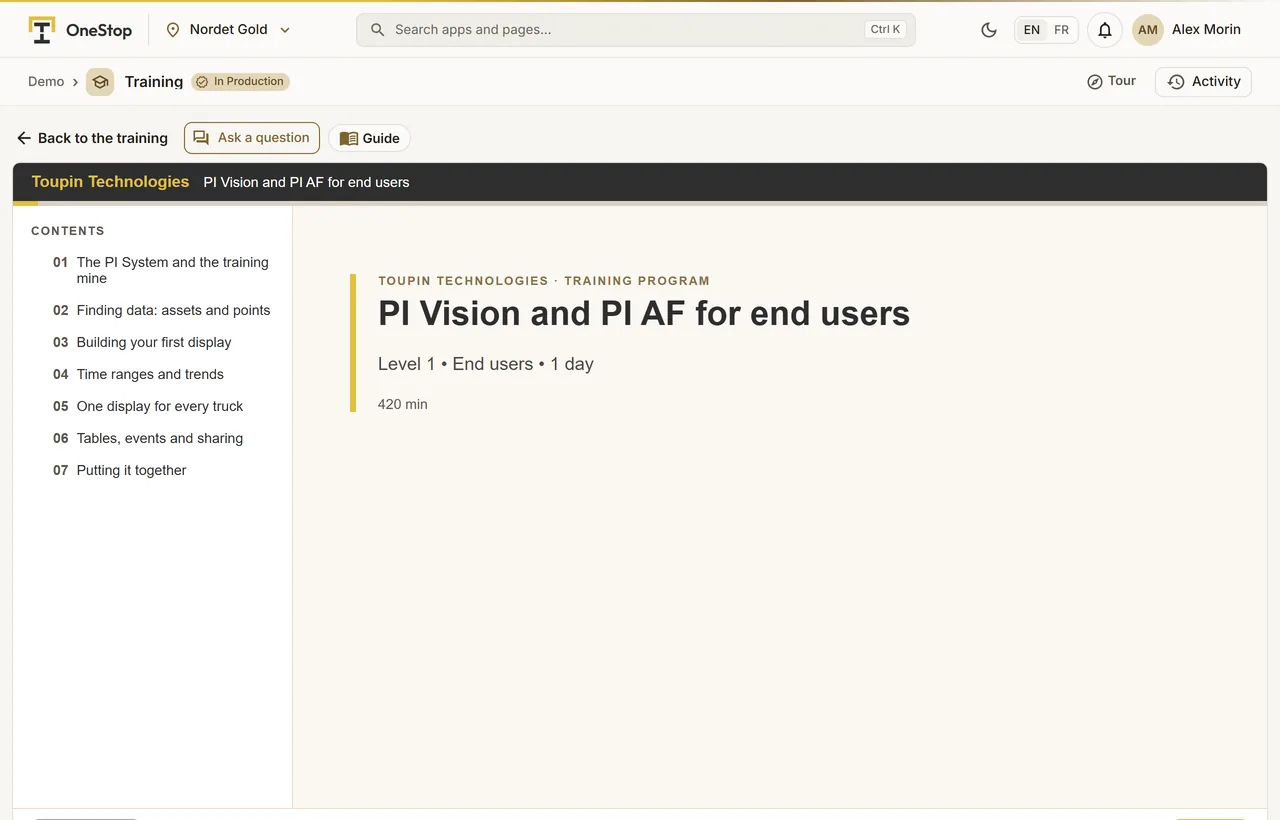
A PI training course played in OneStop
Demo section, simulated data.
02 · The player

A course played in OneStop.

Module after module, with each person’s place kept, on a laptop at the site or at home.

  • SCORM packages for your own learning system.
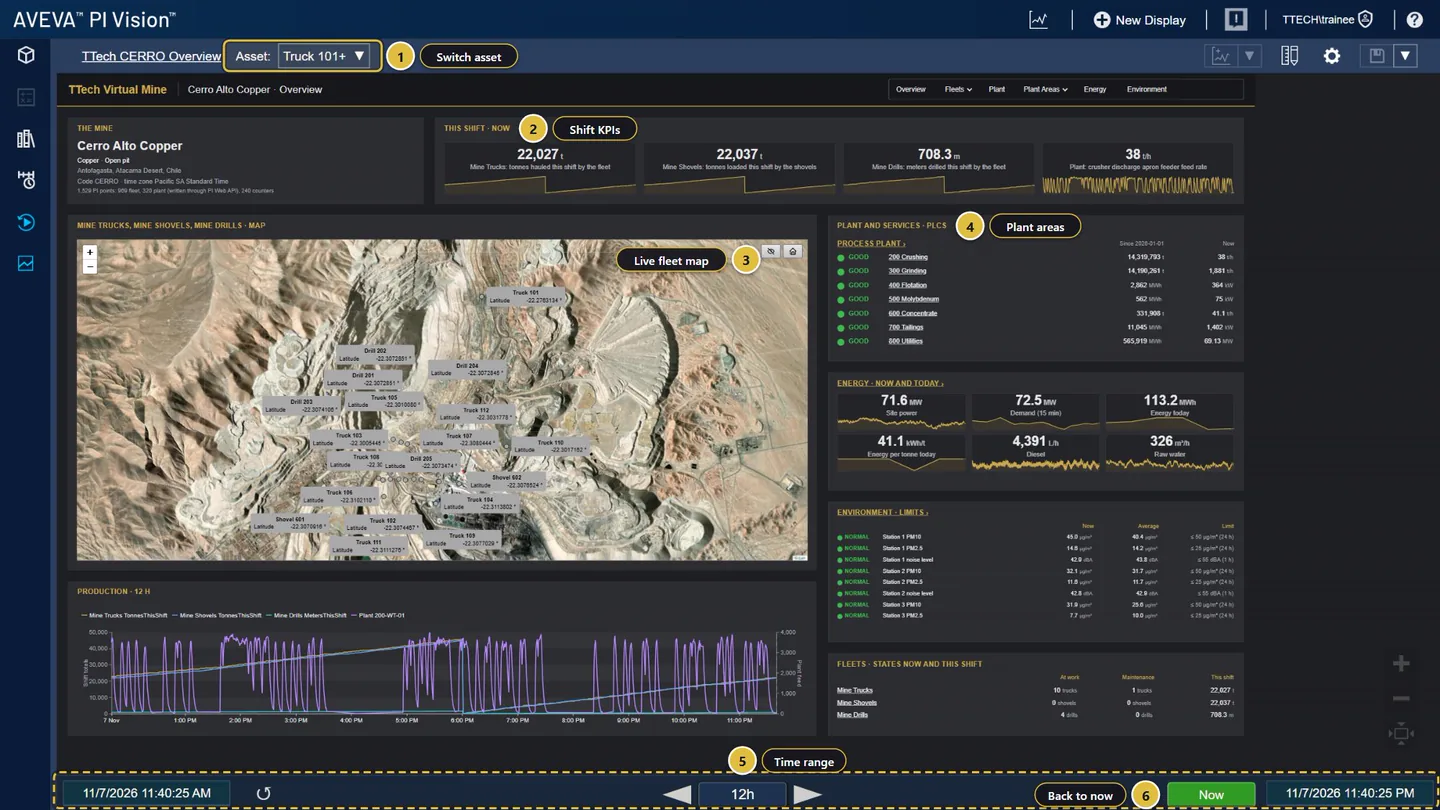
A PI Vision display of the simulated copper mine used in the exercises
Demo section, simulated data.
03 · Hands-on

Real PI Vision, on a simulated mine.

Exercises on the displays of a realistic simulated copper mine: the plant overview, the trucks, the mills.

  • Never on your production data.
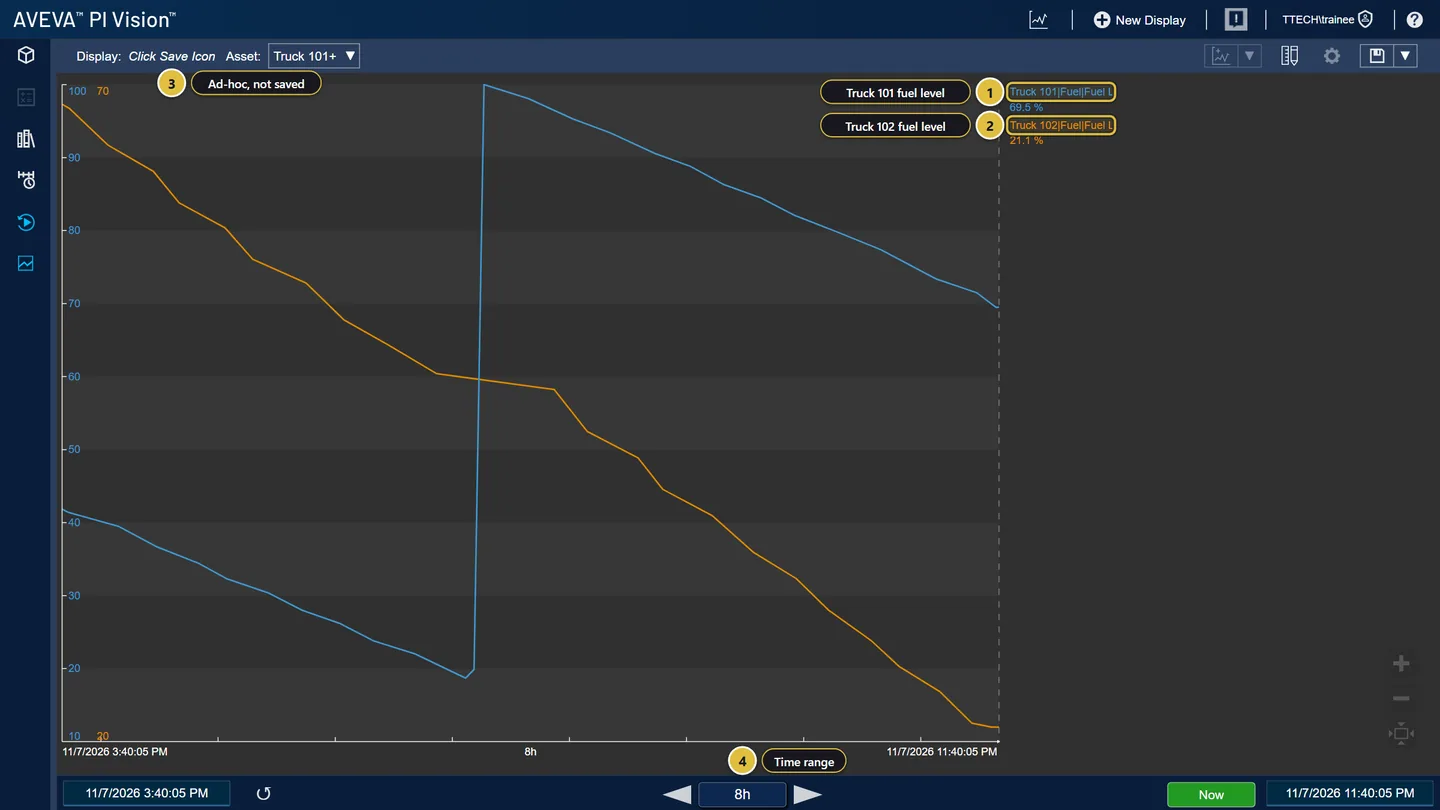
An ad hoc trend built in PI Vision during a training exercise
Demo section, simulated data.
04 · Exercises

Search, trend and build, step by step.

Find an asset, drag its attributes into a trend, format it and save a display of your own.

  • Each step shown as it looks in PI Vision.
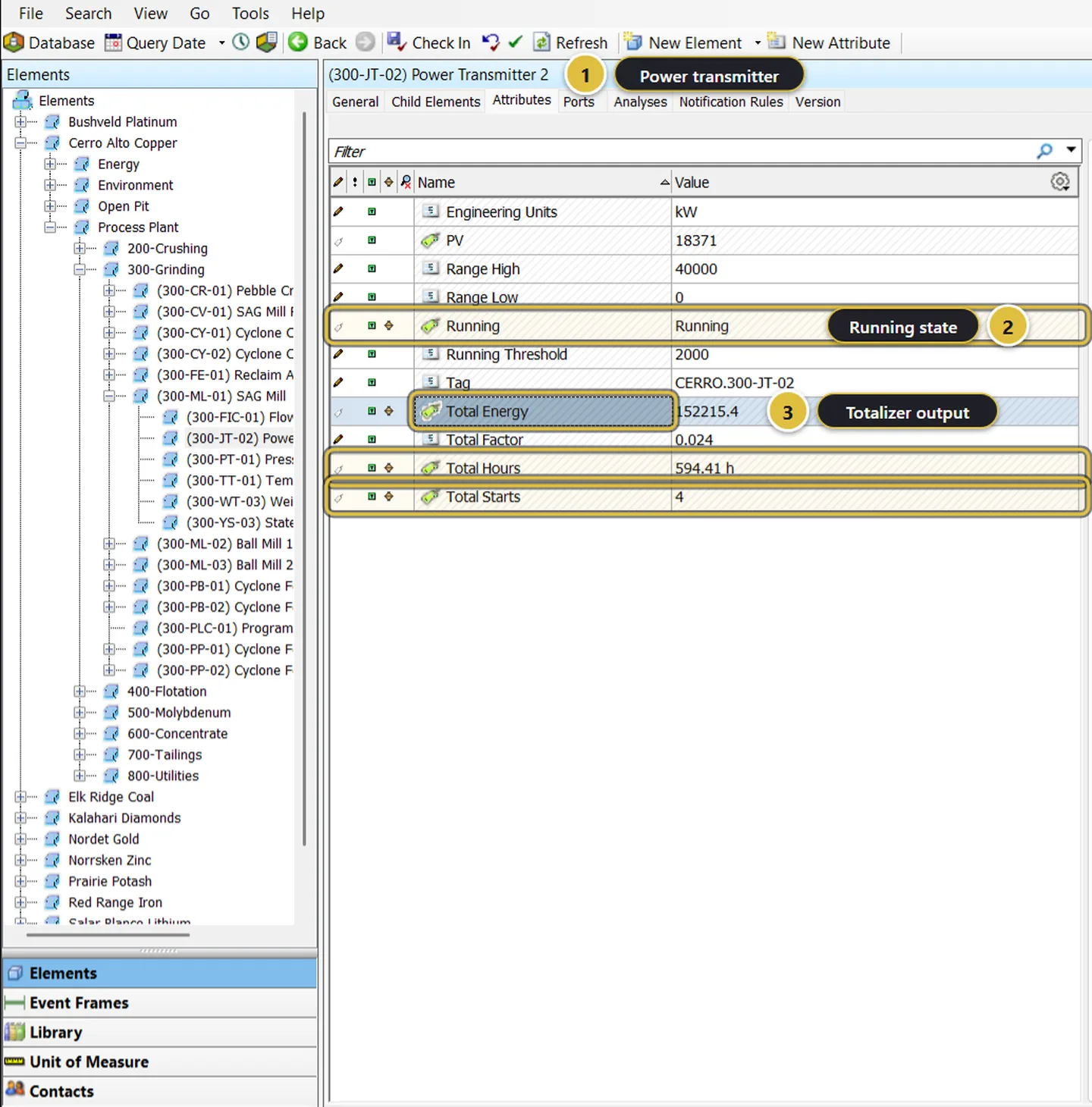
Analyses of the simulated mine in PI System Explorer
Demo section, simulated data.
05 · PI AF

Analyses and the asset model, for power users and administrators.

PI System Explorer, the asset model of the mine, its templates and its analyses.

  • Analyses, event frames and PI DataLink at L2.
  • Administration at L3.
What it does

Everything it does.

  • L1: PI Vision and PI AF for end users

    One day, 7 modules, no PI experience needed: find, trend, build and share displays.

  • L2: PI AF and PI Vision for power users

    Two days, 9 modules: PI DataLink, analyses, event frames, data quality and a shift report.

  • L3: Administering PI AF and PI Vision

    Two to three days, 13 modules for the people who keep the system right.

  • A realistic simulated mine

    Every exercise on a simulated copper mine, never on client data.

  • Played in OneStop

    An interactive course with each person’s place kept, and SCORM packages for your own system.

  • Programs and guides

    Program and trainer guide in PDF, and questions answered with links to the AVEVA documentation.

Coming next

  • PI Quick WinsShort tutorials of a few minutes each, one task at a time.
  • Training dashboardFor your administrators: who attended which training and when.
  • CertificatesWith a verification code, for the people who pass.
Standards and integrations

Built on the standards and systems you already use.

Works with

  • AVEVA PI VisionDisplays, trends, search and symbols.
  • AVEVA PI AF and PI System ExplorerThe asset model, templates and analyses.
  • PI DataLinkPI data in Excel, at L2.
Who uses it

Made for the people who run the site.

  • Operators and supervisorsL1: use PI Vision every day with confidence.
  • Engineers and analystsL2: analyses, event frames and PI DataLink.
  • PI administratorsL3: keep PI AF and PI Vision right.
Questions

What clients ask us.

Do we need our own PI System?

The exercises run on a simulated mine installed on a PI server: yours, or the PI training environment we provide. Either way, your people never touch production data.

Is it in French?

Yes. Every course is in English and in French.

Can a trainer deliver it?

Yes. Each course has its program and a trainer guide; the PI training environment gives your people their own PI System to practise on.

The OneStop way

Every app follows the same principles.

What is true of this app is true of every app of TTech OneStop: your data, your people and your language come first.

  • Your data stays yours

    The apps read your data through your own AVEVA CONNECT and write back only their own results, in their own streams. Your existing data is never changed.

  • Nothing to install at the site

    OneStop runs in the browser. Your administrator sets up one connection to your AVEVA CONNECT, once, and every app uses it.

  • Your Microsoft sign-in

    Your people sign in with their Microsoft work account. Your own admins decide who uses which app.

  • Explained, never a black box

    Every score, alert and AI answer shows its reason and where its numbers come from, in plain words.

  • English and French

    Every screen, every message and every report, in the language each person chooses.

  • By the piece

    Subscribe to the apps you need and add others later. Try each one first in the demo, on ten simulated mines.

See it on your own data.

Book a demo on our simulated mines, or tell us how you want to use it on yours.