PI training and development environment
We deploy and run a PI environment fed by live simulated data, so your people can train, run demos, and build and test changes before they reach production.
- Included
- A PI System, live simulated data, AF, PI Vision pages, monitoring
- How it runs
- Hosted by us or on your servers, run and watched by us
- Price model
- A setup, then a monthly subscription for as long as you need it
The problem it solves
No safe place to learn, show or test PI.
Training on production data is risky, a test server without live data teaches little, and demos wait for data that cannot leave the site.
AF templates, analyses and displays are changed on the live system, because there is nowhere else. A wrong change shows up on the control-room screens, or in the reports.

Step by step, with you
From your choice to a live PI environment, with you.
At every step you know what we do, what we need from you, and what you will see.
-
- We do
- We help you pick a simulated mine or a copy of your structure, the versions, and where it runs: hosted by us or on your servers.
- You do
- Tell us what you want to train, test or show.
- You see
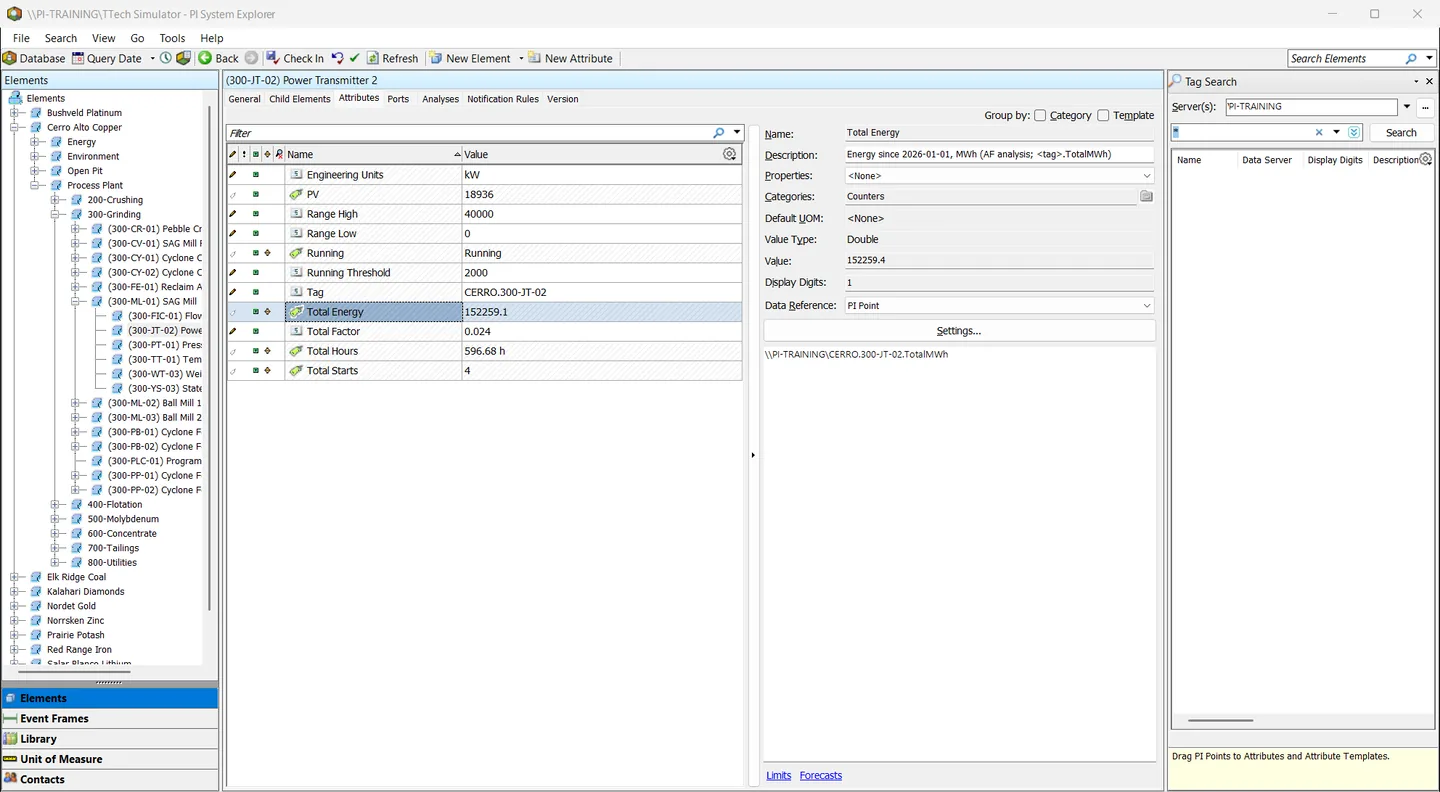
- The model of the simulator: ten mines and their plants in PI AF.
Demo section, simulated data. -
- We do
- We install PI, the simulator, the AF model, the PI Vision pages and the monitoring.
- You do
- Servers, if it runs at your site.
- You see
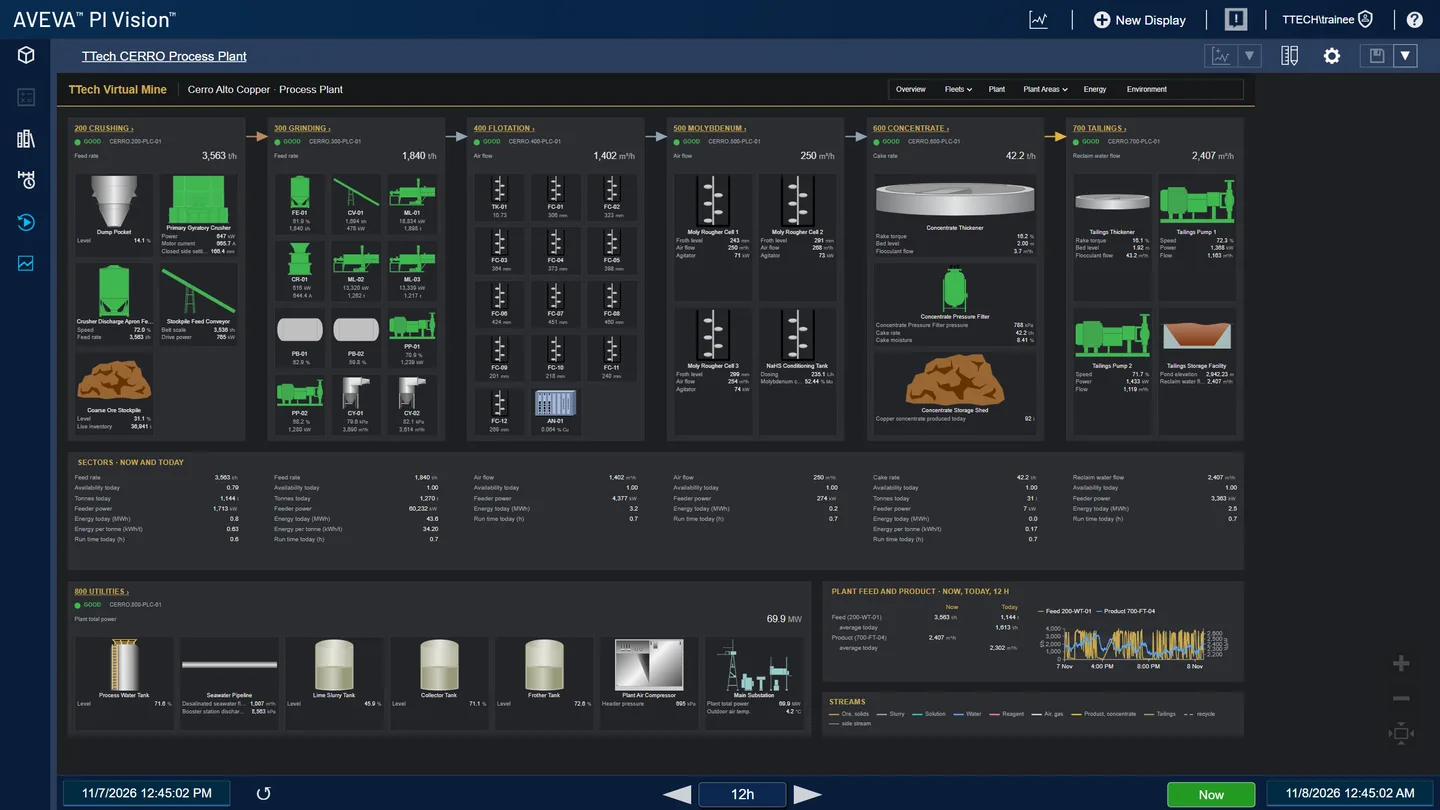
- Live displays of the process plant, from crushing to tailings.
Demo section, simulated data. -
- We do
- We keep the data flowing and help your people when they need it.
- You do
- Train, run demos and proofs of concept, build and test changes, rehearse upgrades.
- You see
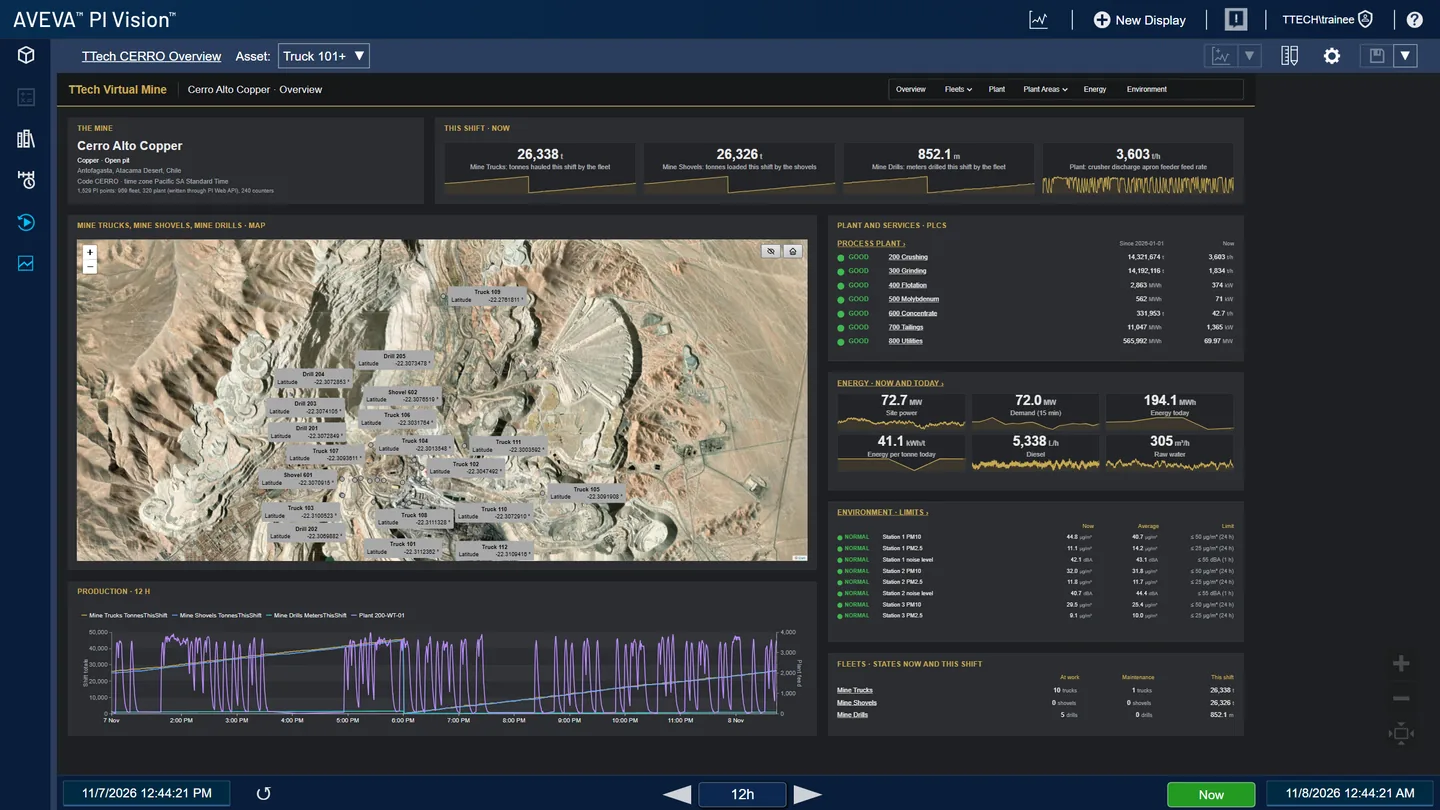
- The mine overview: the fleet on the map, the tonnes of the shift, the plant, energy and environment.
Demo section, simulated data. -
- We do
- We move each tested change to production in an agreed window.
- You do
- Approve the change and the window.
- You see
- Production changed once, the way it was tested.
04PromoteProduction changed once, the way it was tested. -
- We do
- We keep it running and watched, reset it to a clean state, or remove it.
- You do
- Tell us which, when you need it.
- You see
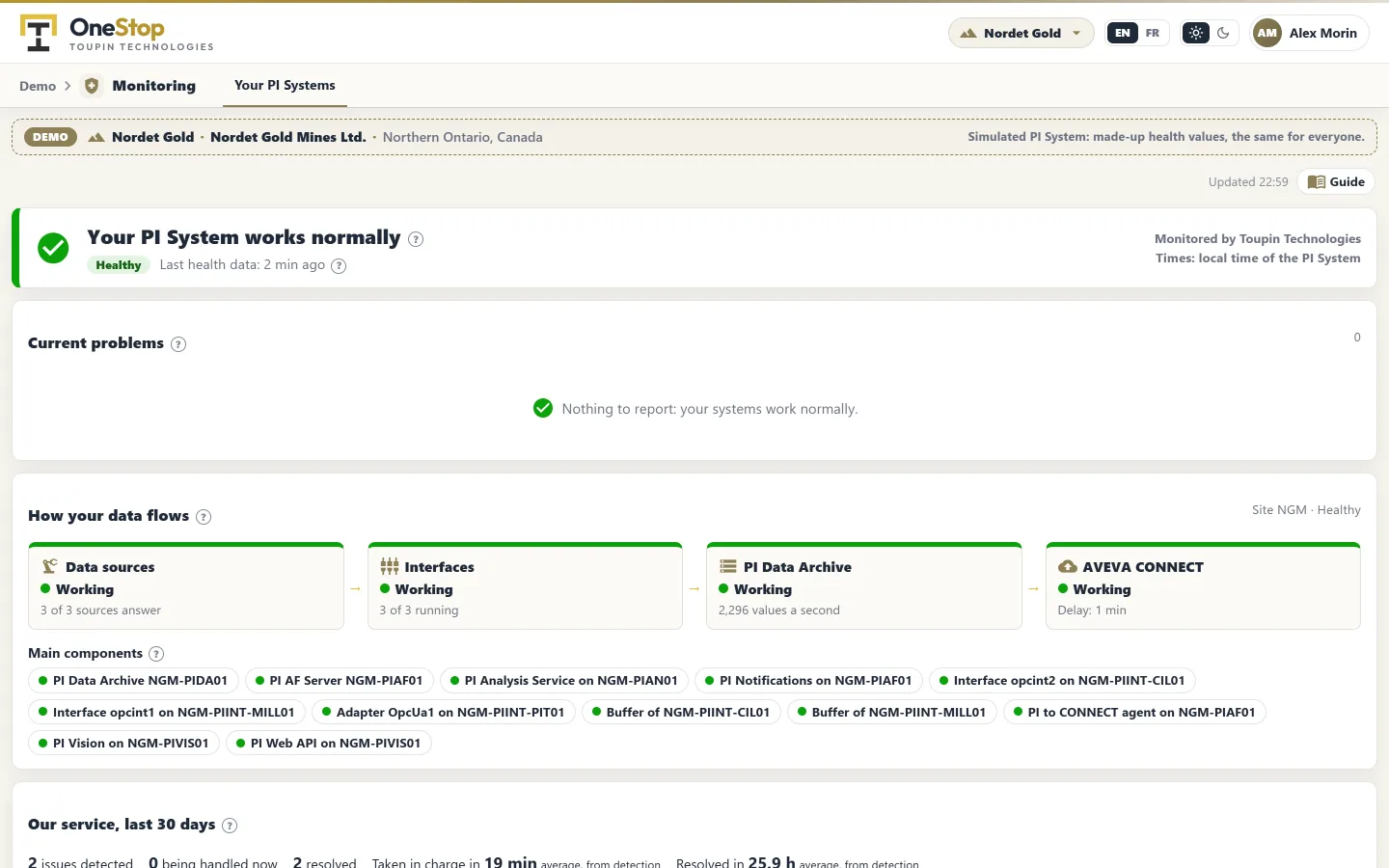
- The environment on its monitoring page, like your production.
Demo section, simulated data.
What you get
-
A live simulated mine
Our PI Data Simulator writes the values of a mine every second through PI Web API: fleets, plant, underground services, energy and environment, with history. Ten mines to choose from.
-
Or a PI System like yours
PI Data Archive, AF, Asset Analytics, PI Vision and PI Web API at the versions you run, with your AF model and displays, fed by the simulator or by a copy of the history you choose.
-
AF, analyses and PI Vision pages
The AF model with its templates, analyses and counters, and process pages with library graphics, from the mine to the product, ready to explore.
-
A way to production
Export, review and import steps for AF, analyses and displays, written down and repeatable.
-
A place for integrations
Applications on PI Web API, SQL links, Power BI reports and AI tools tested before they touch production.
-
Monitored and maintained
Enhanced PI Monitoring watches the PI servers, the analyses and PI Vision, with alerts and a monthly report. We reset, refresh or upgrade the environment when you ask.
How it works
-
01
Choose
A simulated mine or a copy of your structure, the versions, and hosted by us or on your servers.
-
02
Deploy
We install PI, the simulator, the AF model, the pages and the monitoring.
-
03
Use it
Train, run demos and proofs of concept, build and test changes, rehearse upgrades.
-
04
Promote
Move each tested change to production in an agreed window.
-
05
Keep, reset or stop
We keep it running, reset it to a clean state, or remove it.
See it
Outcomes
-
Training without risk
People learn on data that moves like a real mine, far from production.
-
Demos with live data
Show PI, a design or your own product on a running mine.
-
Safer changes
Changes and upgrades are tried first, where mistakes cost nothing.
-
Faster development
Developers work freely, without waiting for a window on production.
A good fit when
- You train new operators, engineers or PI users.
- You show PI, or a product built on PI, to others, or run proofs of concept such as AI on PI data.
- Your team or integrators change AF, analyses or displays, or you plan a PI upgrade.
- You build applications or AI tools on PI data, or an audit asks how changes are tested.
Common questions
Is any real data used?
Not by default. Every value comes from the simulator: made-up mines, equipment and events, with no link to your site. Your structure or a copy of your history is added only if you choose it.
Which mines can we choose?
Ten: open-pit and underground gold, copper, iron ore, coal, lithium, potash, zinc and lead, diamonds and platinum. Each has its fleets, its plant and its energy and environment monitoring.
Which licences does it need?
A PI System of its own needs its own AVEVA licences. We review your agreement with you and plan the environment around it.
Can it run on our servers?
Yes. Hosted by us or on your servers, we run and maintain it either way.
How is it priced?
A setup, then a monthly subscription for as long as the environment runs.
Start a conversation.
Tell us about your data and what you want from it. We will suggest a practical next step.