
Asset contextualization in PI AF
We model your site’s assets in PI Asset Framework, so every value has a place, a name and a meaning.
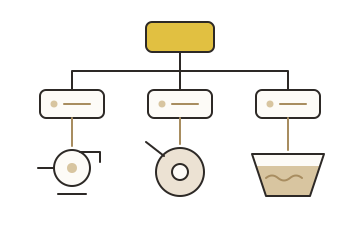
Tag names alone do not explain the data.
People need to know which tag belongs to which pump, mill or pond, and what it means.
Without context, every display, report and analysis starts with a search.
02What you get
-
Asset hierarchy
Site, areas, process units and equipment, as your teams know them.
-
Templates
One template per kind of equipment, reused across the site.
-
Attributes
Tags mapped to clear names, units and limits.
-
Calculations
Common analyses (totals, averages, run hours, states) in Asset Analytics.
-
Rules for growth
A short guide to add new assets the same way.
03How it works
-
01
Agree the structure
Hierarchy and naming, with operations and maintenance.
-
02
Build the templates
Starting with the equipment that matters most.
-
03
Map the tags
Link existing points to attributes; flag what is missing.
-
04
Hand over
Train your team and document the rules.
04Outcomes
-
Data people can find
Search by asset, not by tag name.
-
Faster displays and reports
Built once on a template, reused everywhere.
-
A base for AI
Structured, contextualized data that AI tools and the AI assistant can use.
05A good fit when
- Your PI System has many tags and little or no AF.
- Displays and reports are hard to build or maintain.
- You are preparing data for analytics or AI.
06Common questions
Do we need to rename our tags?
No. AF gives clear names on top of your existing tags.
Can we start with one area?
Yes. Start with one area, then extend with the same templates.
How does this help with AI?
AI needs context: which asset, which unit, which limit. AF provides it. See AI readiness.
Start a conversation.
Tell us about your PI System and what you need. We will suggest a practical next step.