TTech OneStop · The platform

AI in OneStop

AI where your people already work, that shows its numbers, only suggests, and stays under your company’s control.

The problem it solves

AI that cannot show its work is not used.

An answer without its source is a guess, and engineers will not act on it.

Security committees also ask what is sent, to whom, and whether the AI can be turned off.

  • Demo on ten simulated mines
  • English and French
  • Hosted in Canada
  • Your Microsoft sign-in
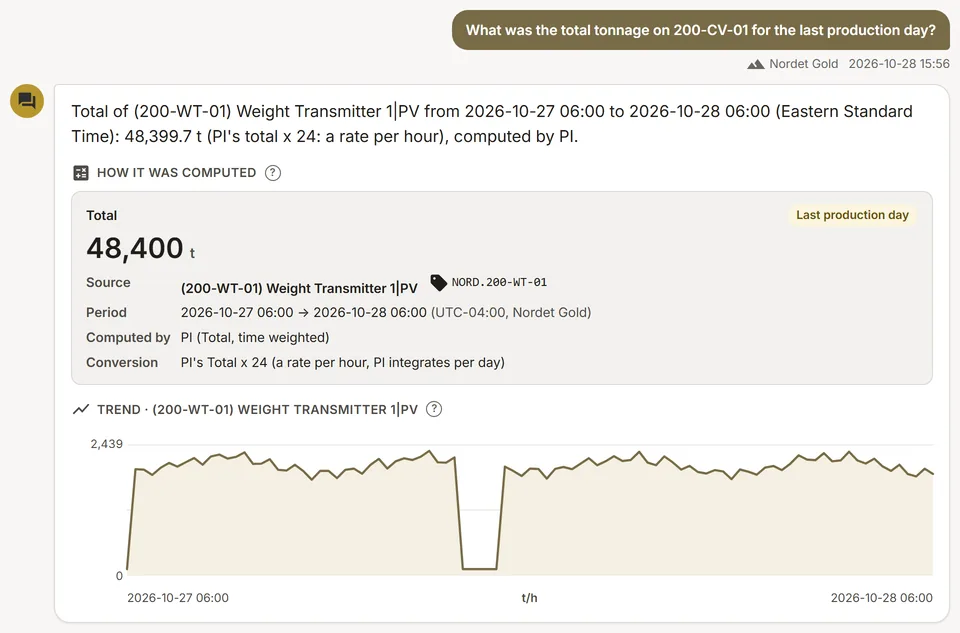
An Ask PI answer on a simulated mine: the total of a conveyor for the last production day, with how PI computed it
Demo section, simulated data.
  • In every appAbout thirty AI features where the work is done.
  • ExplainedEach answer shows its numbers and where they come from.
  • Suggests onlyA person accepts, edits or dismisses each suggestion.
  • Your switchOff for your company, on request; every app keeps working.
What changes

What changes for your team.

  • Answers people act on

    BeforeAn AI answer with no source.

    With OneStopThe tag, the period and the calculation behind each number.

  • Less writing

    BeforeHandover notes, work orders and texts typed from scratch.

    With OneStopA draft in seconds, edited and approved by a person.

  • A clear answer for your security committee

    BeforeUnknown data flows to an AI provider.

    With OneStopMinimal data sent, a published provider, and a switch per company.

How it works

AI with a person in charge, at every step.

  1. Where the work is

    The AI sits in the apps: a panel beside the data, a button on the page.

  2. Only what is needed

    Only what the answer needs is sent, mostly plant values, tags and events; names and emails are left out where possible.

  3. Shown, not hidden

    Answers come with their numbers and sources, and stream with a Stop button.

  4. A person decides

    Each suggestion is accepted, edited or dismissed; the AI never writes data on its own.

Inside the app

The screens your teams use.

Each screen below is from the Demo section of OneStop, on a simulated mine. Ask us for a visit to try them yourself.

An Ask PI answer with how PI computed the number
Demo section, simulated data.
01 · Ask PI

A question on PI data, answered with its source.

The number, its tag, its period in the mine’s time and the PI calculation behind it, with a trend of the values.

  • Read only: Ask PI never changes your data.
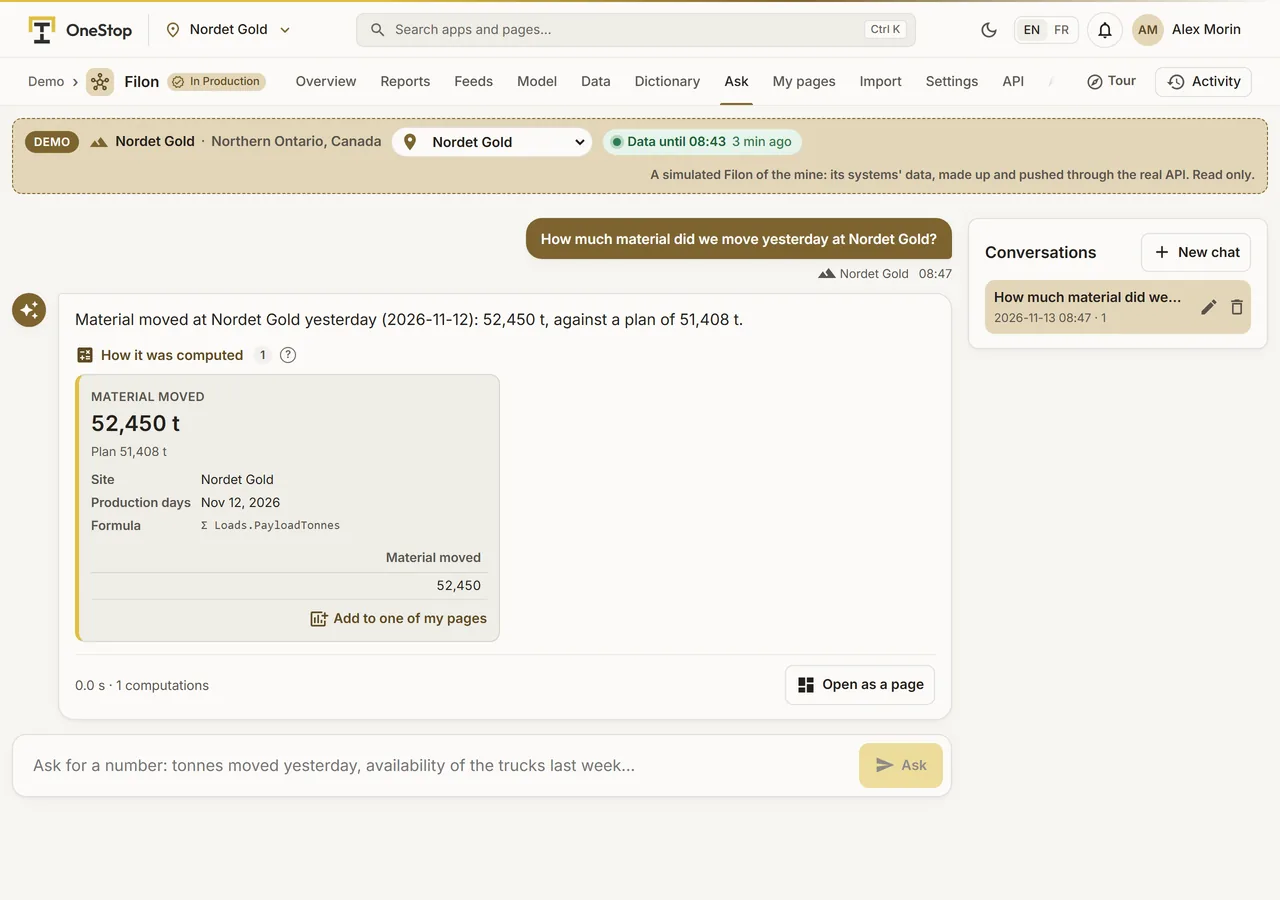
Ask Filon answering a question with traced numbers
Demo section, simulated data.
02 · Ask Filon

A KPI answered with the same numbers as the reports.

Ask Filon answers from the site’s data model and shows how each number was computed.

  • Build a report page from a description.
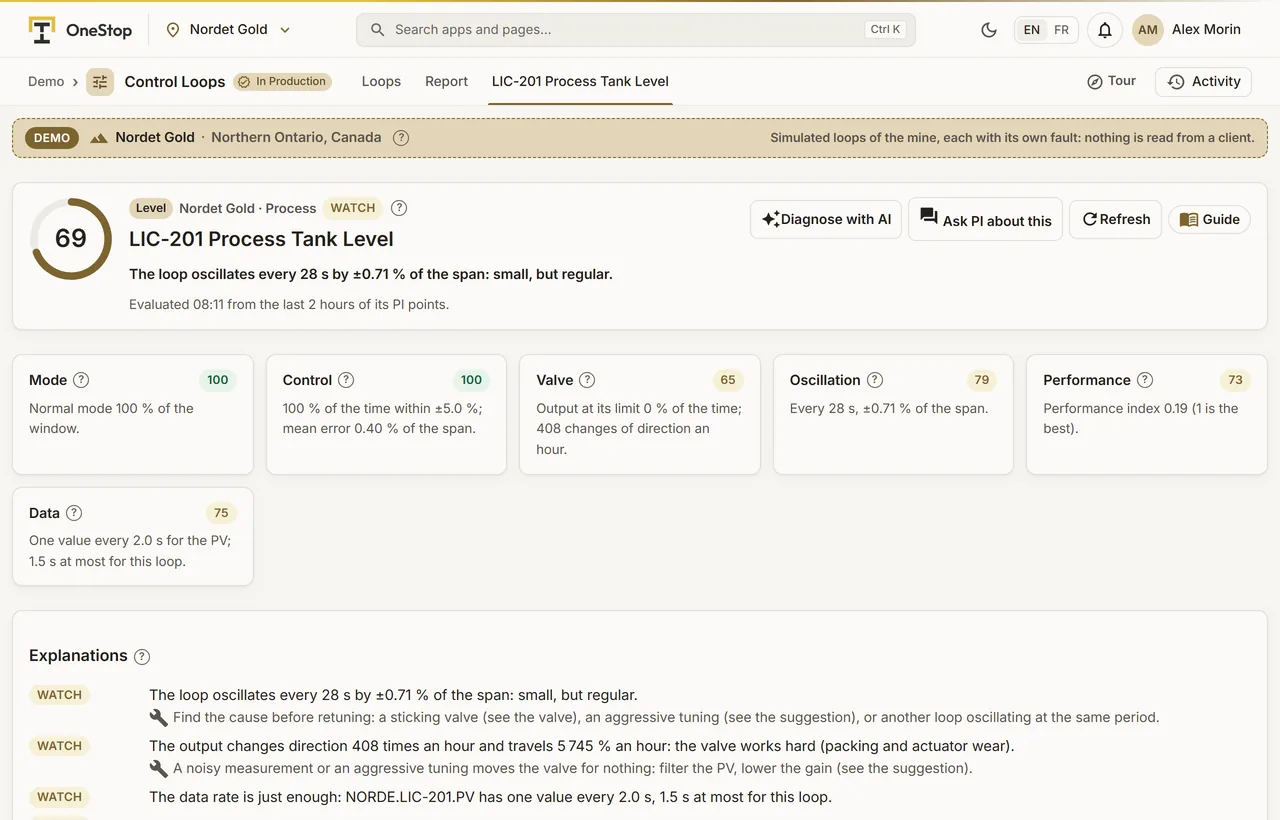
A level loop of the simulated mine with its checks, its explanations and its AI buttons
Demo section, simulated data.
03 · Explain

Every finding explained, and a diagnosis one click away.

A control loop’s checks explained in plain words, with "Diagnose with AI" and "Ask PI about this" beside them.

  • The same in Predictive Maintenance, Downtime, Energy and the other apps.
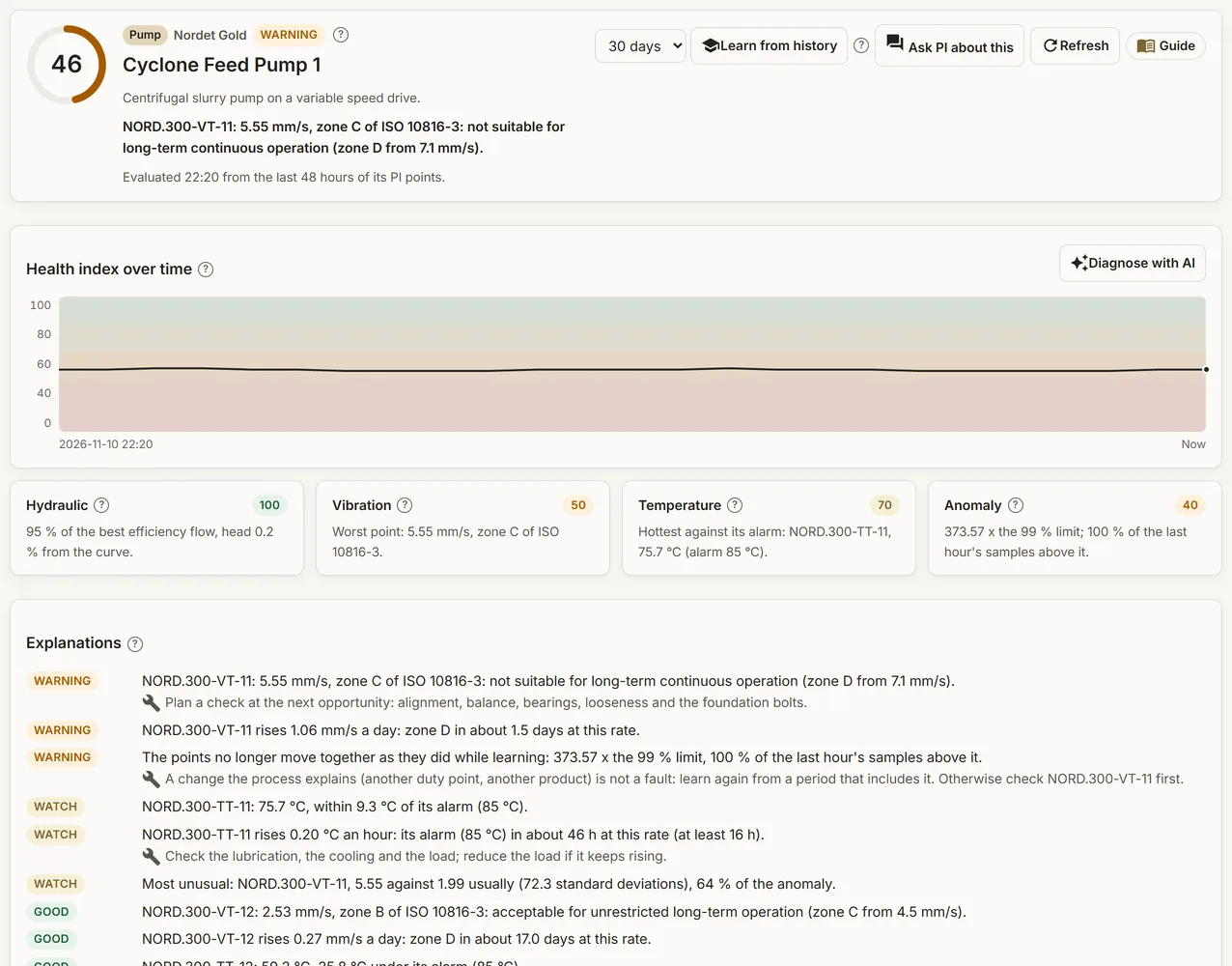
A pump of the simulated mine with its checks and their explanations
Demo section, simulated data.
04 · Diagnosis

Explanations and drafts, with a person in charge.

Diagnose an asset, explain a control loop, suggest a downtime reason, draft a work order or a handover note.

  • Useful or not useful: each answer can be rated.
What it does

Everything it does.

  • Ask your data

    Ask PI on your PI data, Ask Filon on the site’s data model, "Ask about this page" in about ten apps.

  • Explain

    An incident, a control loop, a stop, an asset’s health, refused rows of a data feed, a failed connection test.

  • Summarize

    Health briefs, shift weather briefs, plant and fleet summaries, period analyses, handover notes.

  • Draft

    Work orders to paste in your maintenance system, support requests, clear text messages, report pages.

  • Suggest

    A downtime reason, the PI points of an asset or a loop, CSV columns to match, alarm fixes.

  • Answer about PI

    Answers about PI and AVEVA cite the AVEVA documentation, with links.

Standards and integrations

Built on the standards and systems you already use.

Works with

  • Anthropic ClaudeThe AI provider, published in our list of sub-processors.
  • Your own dataAnswers come from your apps, your PI System and your Filon.
  • AVEVA documentationCited with links in answers about PI and AVEVA.
Who uses it

Made for the people who run the site.

  • Supervisors and engineersA number, an explanation or a draft without leaving the app.
  • ManagersBriefs and summaries of what matters.
  • IT, security and privacyA provider that is named, data kept to a minimum, and a switch per company.
Questions

What clients ask us.

Can we turn the AI off?

Yes. The AI is set per company: when it is off, nothing about your company is sent to the AI provider, and every app keeps working. New companies start with it off until they accept the provider.

What is sent to the AI?

Only what the answer needs, mostly plant values, tags and events. Names and emails are left out where possible, and secrets are removed from what people type.

Is our conversation history kept?

Only by the features that say so on their page, such as Ask PI and Filon, and it is encrypted with your company’s own key. Usage logs keep no conversation text.

Can the AI change our data?

No. It only suggests; a person accepts, edits or dismisses each suggestion.

Your data

Your data in this app.

What it reads, what it writes and who sees it. The whole picture: Security and trust.

  • Off until you agree

    New companies start with the AI off until they accept the provider.

  • Minimal data

    Only what the answer needs is sent.

  • Encrypted history

    Kept conversations are encrypted with your company’s own key.

The OneStop way

Every app follows the same principles.

What is true of this app is true of every app of TTech OneStop: your data, your people and your language come first.

  • Your data stays yours

    The apps read your data through your own AVEVA CONNECT and write back only their own results, in their own streams. Your existing data is never changed.

  • Nothing to install at the site

    OneStop runs in the browser. Your administrator sets up one connection to your AVEVA CONNECT, once, and every app uses it.

  • Your Microsoft sign-in

    Your people sign in with their Microsoft work account. Your own admins decide who uses which app.

  • Explained, never a black box

    Every score, alert and AI answer shows its reason and where its numbers come from, in plain words.

  • English and French

    Every screen, every message and every report, in the language each person chooses.

  • By the piece

    Subscribe to the apps you need and add others later. Try each one first in the demo, on ten simulated mines.

See it on your own data.

Book a demo on our simulated mines, or tell us how you want to use it on yours.